Fatmike's Crackme #1
Crackme Information
- Difficulty: 3
- Rating: 5
- Platform: Windows
- Language: C/C++
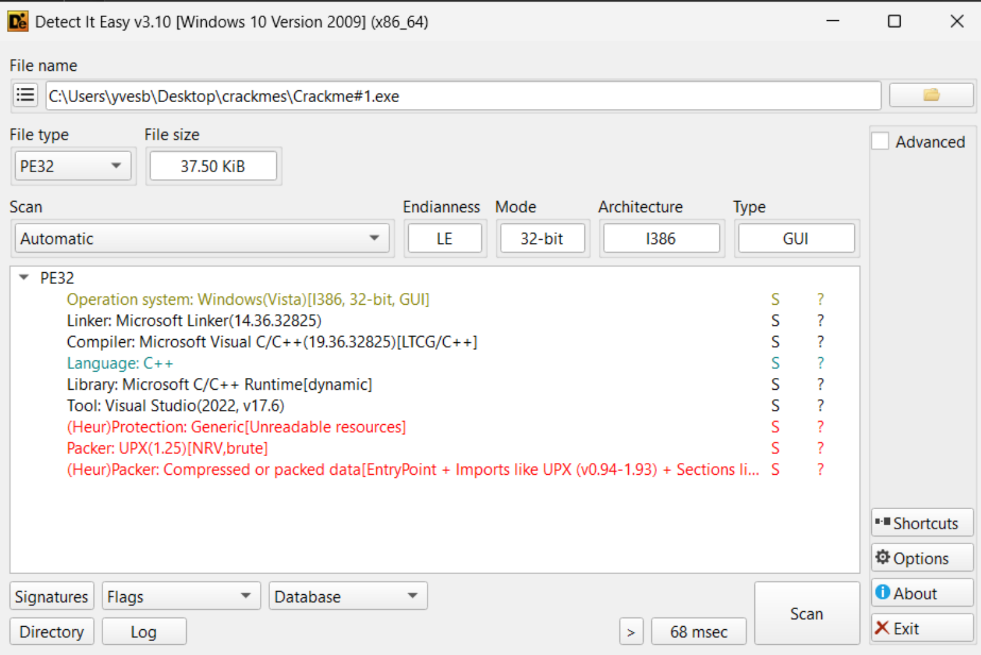
UPX Packed, and I know of 2 ways to unpack it:
Initial Assessment & Unpacking
PS C:\Users\yvesb\Desktop\crackmes > upx -d .\Crackme#1.exe -o Crackme#1-Unpacked.exe
                       Ultimate Packer for eXecutables
                          Copyright (C) 1996 - 2025
UPX 5.0.2       Markus Oberhumer, Laszlo Molnar & John Reiser   Jul 20th 2025

        File size         Ratio      Format      Name
   --------------------   ------   -----------   -----------
    186880 <-     38400   20.55%    win32/pe     Crackme#1-Unpacked.exe

Unpacked 1 file.
Just run with -d flag and you're done.
Steps:
-
Find OEP After loading in x32dbg we see that at entry point we
pushad, which is expected since after unpacking we want the original state of the registers to be retrieved.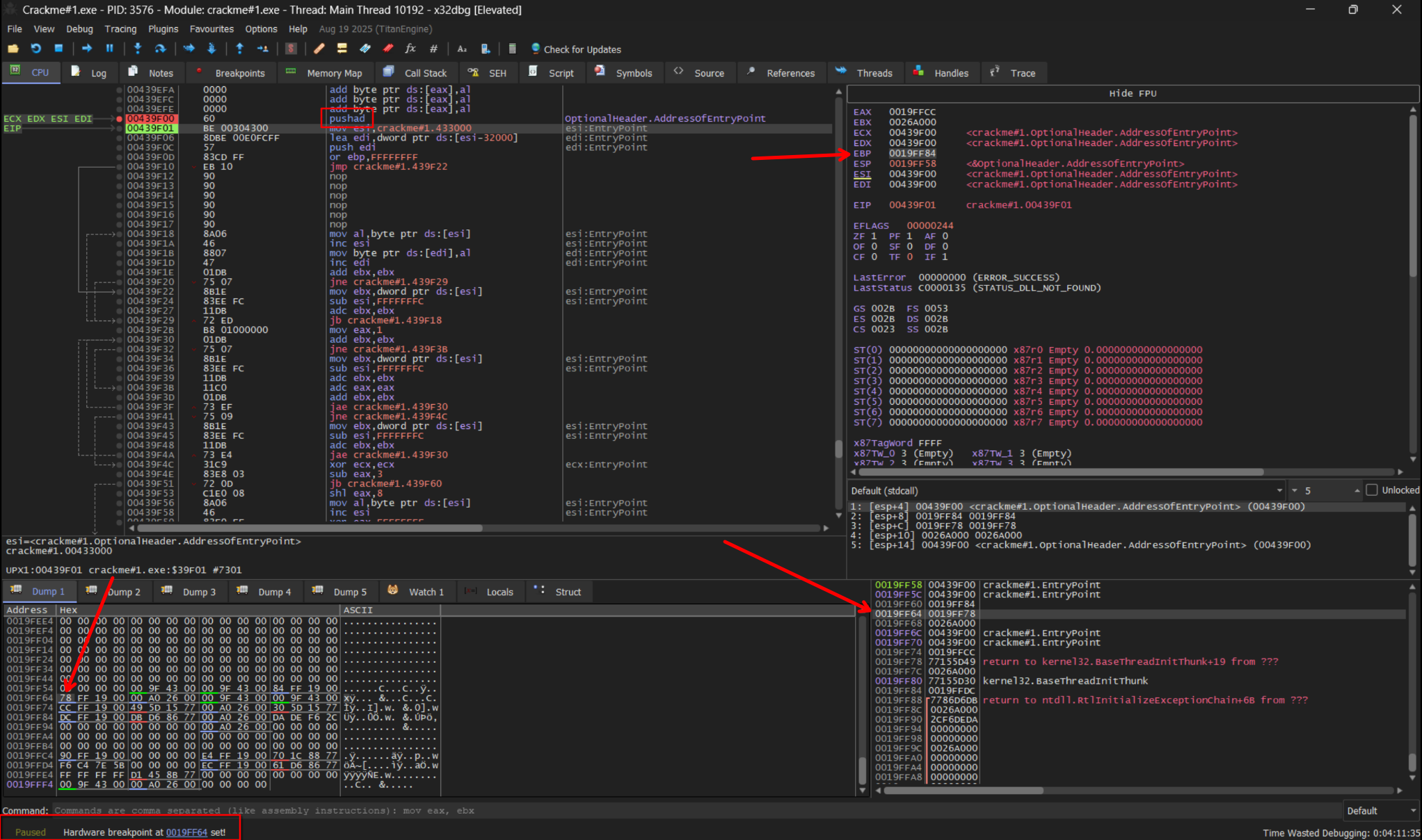
This is also useful because since values are going on the stack, they won't be modified until the program eventually does
popadlater. So we set a HW Access BP at where EBP register was pushed to, and press run. -
Fix IAT and Dump after unpack Break point gets hit, we jump to OEP successfully, same one as the
upx -dcommand from method 1, but we fail at reconstructing IAT, and when we dump the executable doesn't launch anymore :( -
Give up.....
Dynamic Analysis in x32dbg
Let's keep going. When we run the executable we see the following:
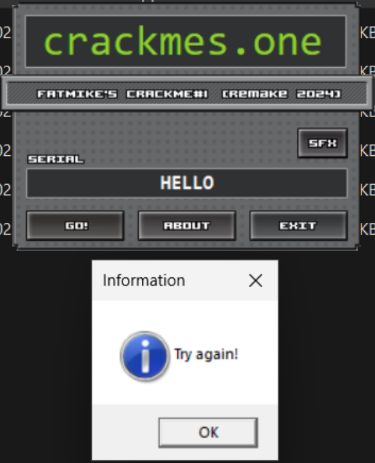
Screenshot shows us entering serial key "Hello" and getting a Try again message.
As popup message seems like a standard MessageBox, I pause execution in x32dbg exactly at the point we get the message (before clicking OK), and set a breakpoint there. We seem to be stuck in a NtWaitUserMessage from module win32u.dll.
Call stack allows us to see a call to MessageBoxA earlier in execution so let's Follow Dump to the address MessageBoxA returns to and set a BP.

We are presented with the following:
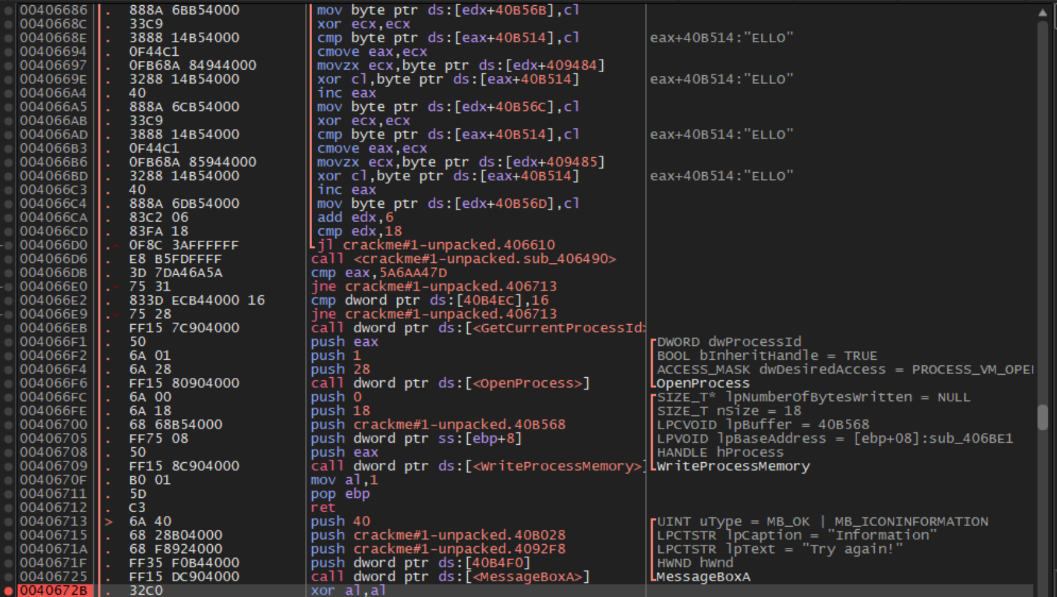
Evidently we see our partially consumed string there "ELLO".
Static Analysis
We find the beginning of the function (Shift+Home), throw executable into IDA, and go to that address.
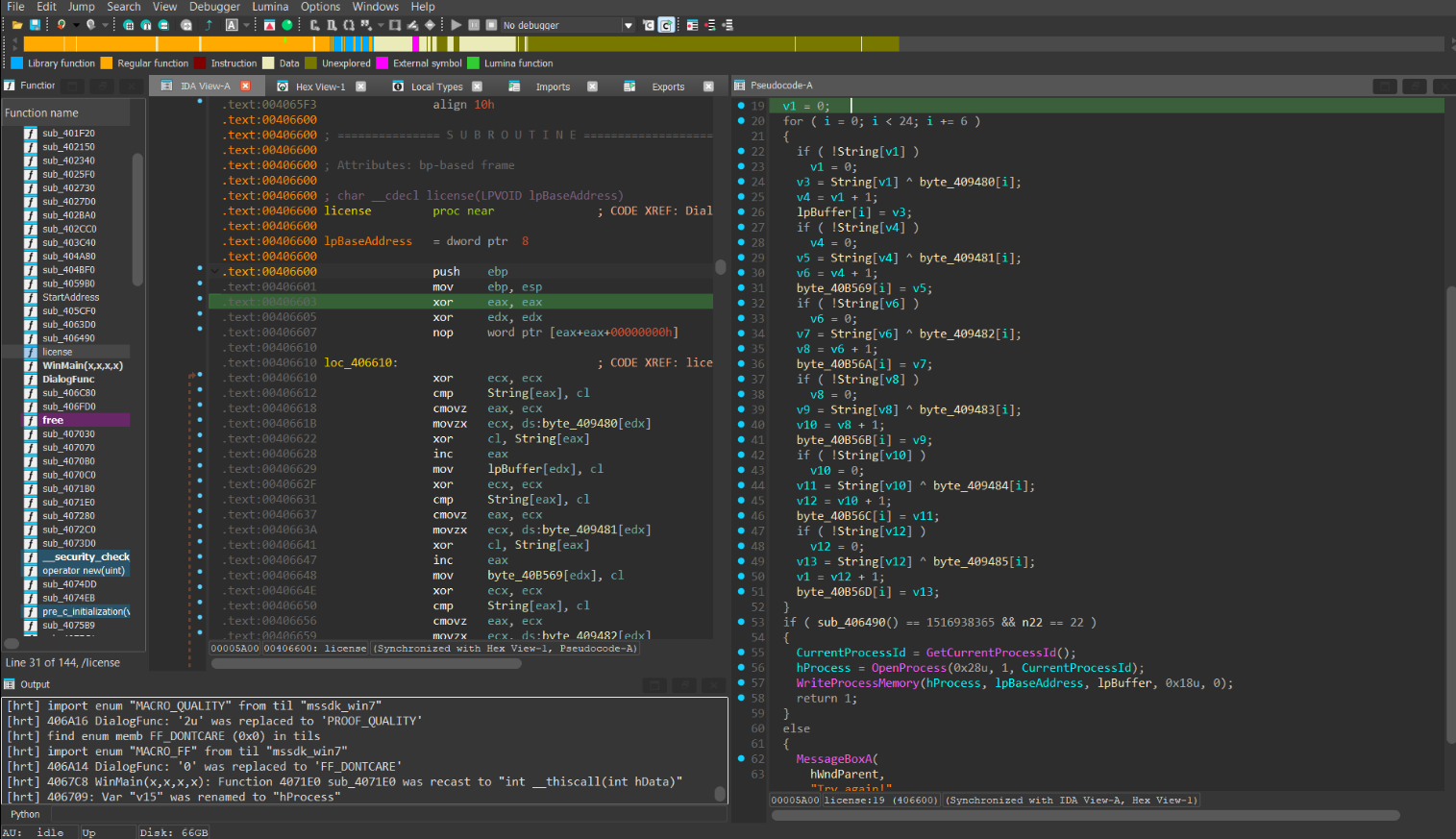
This seems to be XORing our key with some values in memory and then verifying if some function call is equal to a number. The function inside seemed a bit complicated and Gemini Pro 3.0 immediately identified the function as a CRC32 hashing function. From what I know it is pretty much impossible to reverse a CRC32 unless we have a pre-made image, and even if we did have one of those rainbow tables, our input would still get XORed with random bytes, so we need to find another approach.
Bytes in memory being stored: ^69440f0c-5915-46c9-b449-665442012a30
09 32 09 4B DB 2D 65 1B 16 DF 2E 65 D2 5E 99 D7 2B 73 D2 74 AF E3 23 72
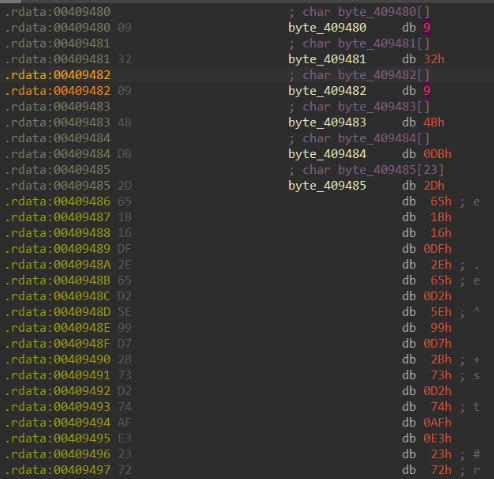
I noticed that on success condition, we return 1 instead of 0. Going back, I see that IDA incorrectly decompiled the code too.
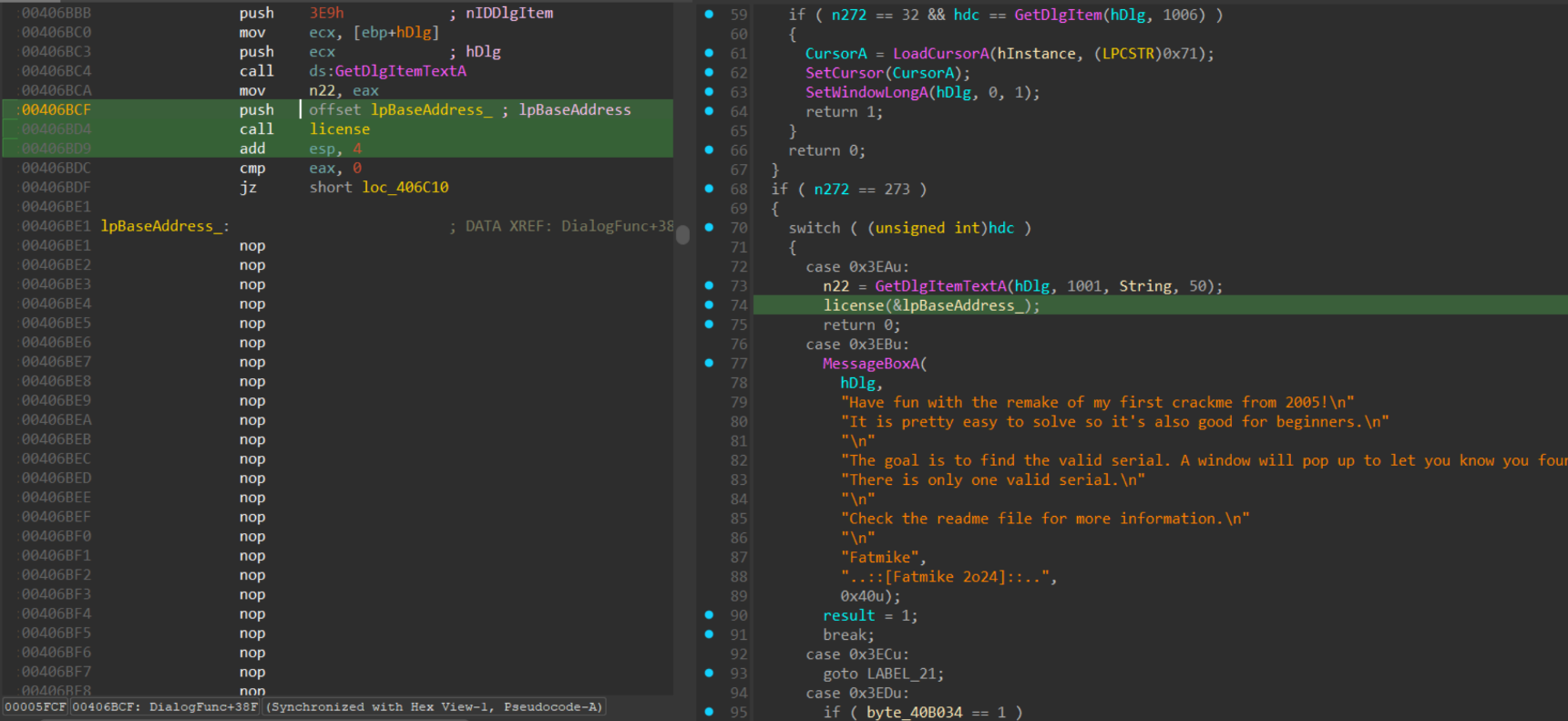
If we return 0 in license function, we will actually not jump on the jz function and go to lpBaseAddress_!!!! But there's only NOP instructions there...
We saw earlier that if we find a string that XORed with the stored bytes results in the correct CRC32 hash we will hit the valid branch. We also see that the correct branch: - Gets our current process id; - Opens a process with VM operation and write access rights
 - Writes 0x18 bytes starting at
 lpBaseAddress_ with lpBuffer
lpBuffer is the starting address of all those bytes that get written into in the license check function.
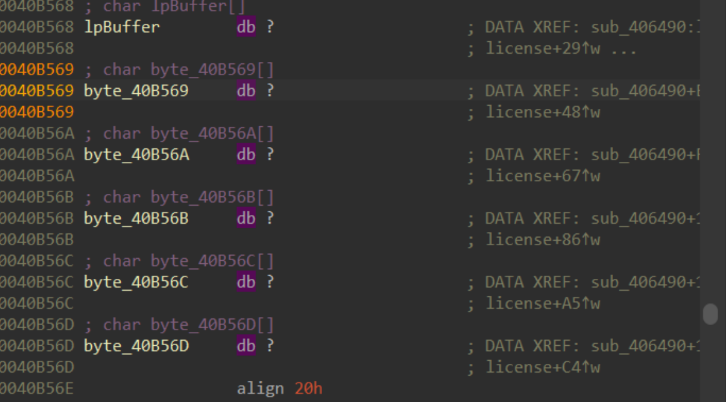
So maybe the lpbuffer at the end needs to be a call to MessageBox in the same way our fail branch does it?
We can find the opcodes corresponding to the fail branch:

If the message box displays a success message, then the string must be stored somewhere in memory. We search for success messages in the strings view and find a sneaky one I had missed before.
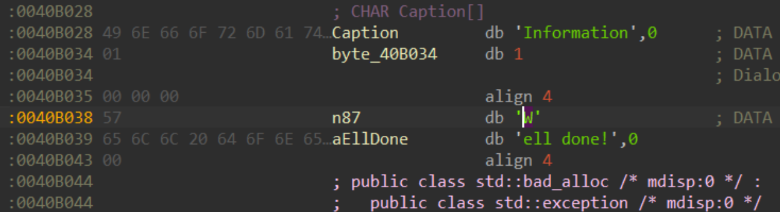
Based on this we can guess the success branch will be:
6A 40// push 40h68 28 B0 40 00// push Caption68 38 B0 40 00// push Text (guessed)FF 35 F0 B4 40 00// push hWndFF 15 DC 90 40 00// call MessageBoxA
Notice also, this corresponds to exactly 24 bytes which is exactly how many bytes the loop writes to lpBuffer! :)
Key Generation
target = bytes.fromhex("6A 40 68 28 B0 40 00 68 38 B0 40 00 FF 35 F0 B4 40 00 FF 15 DC 90 40 00".replace(" ", ""))
key = bytes.fromhex("09 32 09 4B DB 2D 65 1B 16 DF 2E 65 D2 5E 99 D7 2B 73 D2 74 AF E3 23 72".replace(" ", ""))
answer = ''.join(chr(t ^ k) for t, k in zip(target, key))
print(answer)
# crackmes.one-kicks-asscr
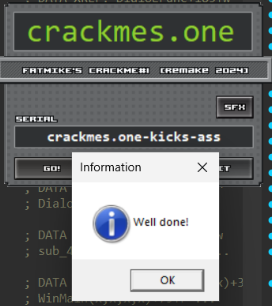
We try inputting the key and get an error. Looking back at the licence function decompiled code IDA we see that not only does it check CRC32 but also if a var n22 is equal 22. Since our XOR function XORs 24 times and also loops over if our input is too short, and also because the end of the string corresponds to the beginning ("cr"), we try the Serial "crackmes.one-kicks-ass" and SUCCESS!!! This took way too long for a 3.0 difficulty crackme :(
Password
crackmes.one-kicks-ass